layout: post title: “Testing CloudStack Integration with KeyCloak” date: 2025-10-29 categories: [cloudstack, keycloak, integration, testing]
Testing CloudStack Integration with KeyCloak
Steps to Test Keycloak with CloudStack
-
Set up Docker environment
- On a Linux host, ensure Docker is installed and that there’s connectivity to the CloudStack Management server.
- Example setup:
Linux host IP: 10.0.32.236
CloudStack Management server IP: 10.0.34.45
-
Run the Keycloak container
docker pull quay.io/keycloak/keycloak:23.0.6 docker run -d -p 8080:8080 \ -e KEYCLOAK_ADMIN=admin \ -e KEYCLOAK_ADMIN_PASSWORD=password \ -e KC_PROXY=edge \ --restart always \ -v /keycloak:/opt/jboss/keycloak/standalone/data \ --network=host \ quay.io/keycloak/keycloak:23.0.6 start-dev -
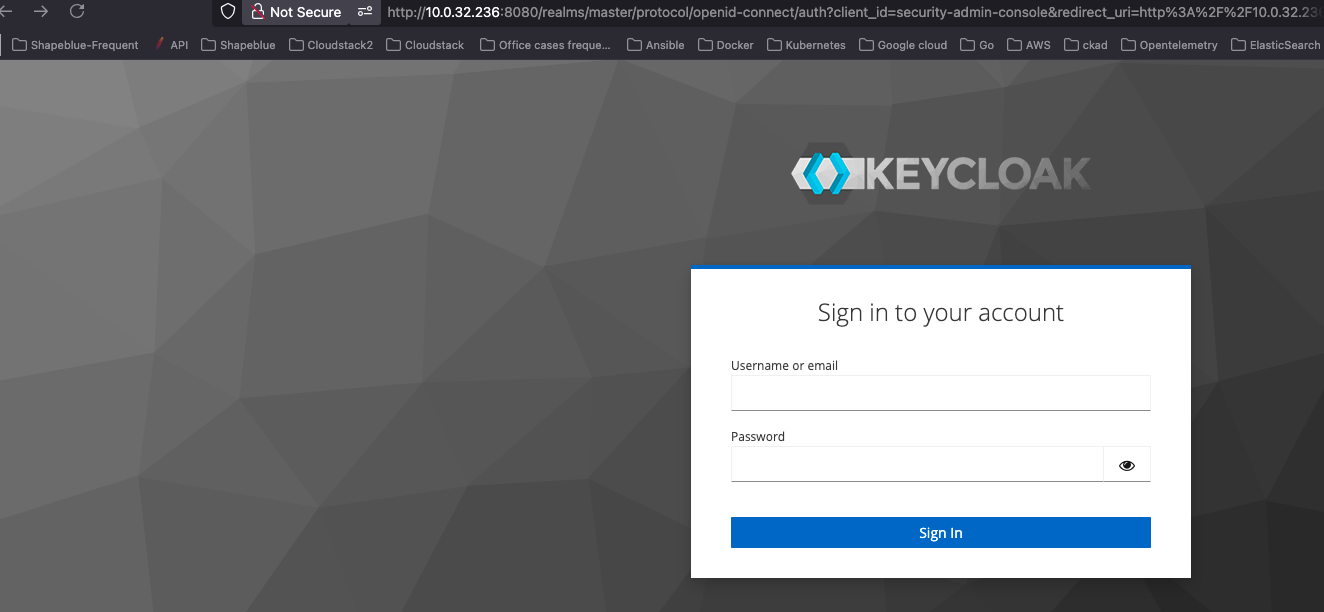
Access the Keycloak UI
URL: http://10.0.32.236:8080 Credentials: admin/password
-
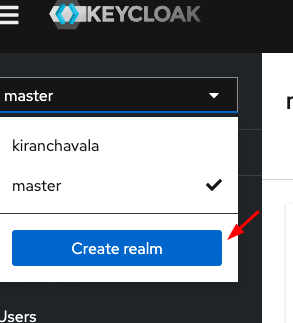
Create a Realm
-
Switch to the created Realm and Create a new client or choose to import an existing client.

-
Configure CloudStack for SAML Integration
Update the following Global Settings in CloudStack UI:
Setting Value saml2.enabled true saml2.redirect.url http://
:8080/client saml2.sp.slo.url http:// :8080/client saml2.sp.sso.url http:// :8080/client/api?command=samlSso -
Restart the CloudStack Management service
-
Execute the following API command to get SP metadata:
curl http://
:8080/client/api?command=getSpMetadata > metadata.xml -
Copy the value and paste in step 5
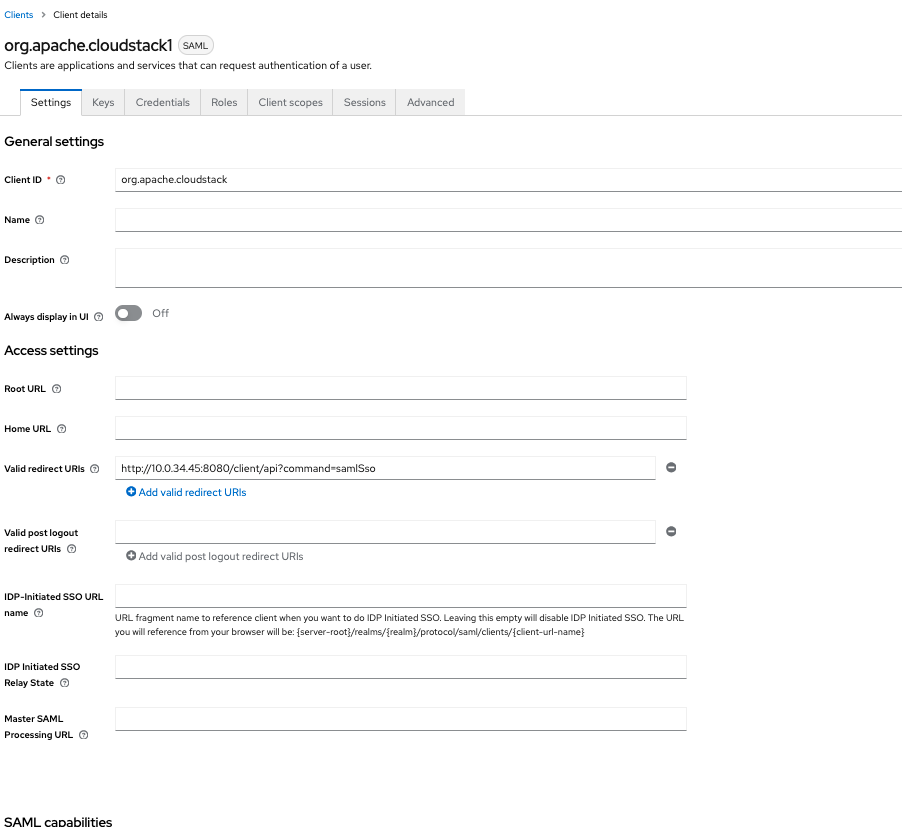
Configure Keycloak
-
In Keycloak:
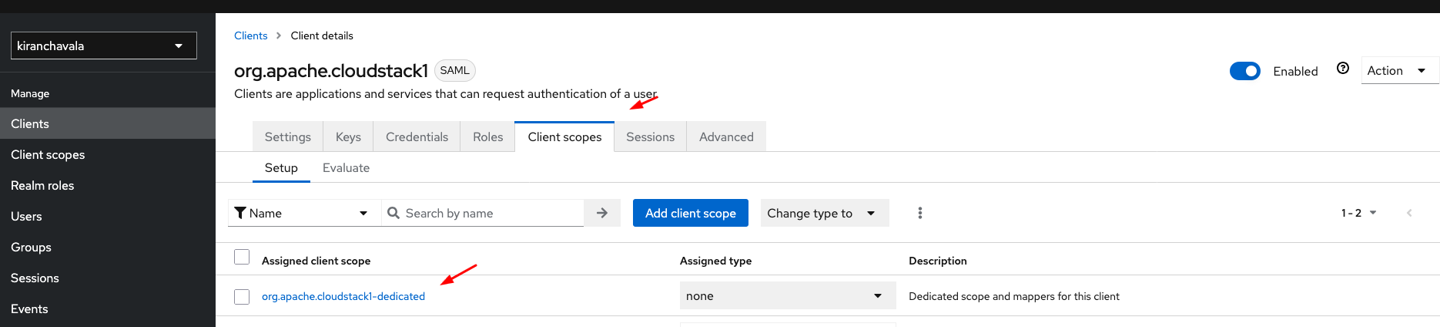
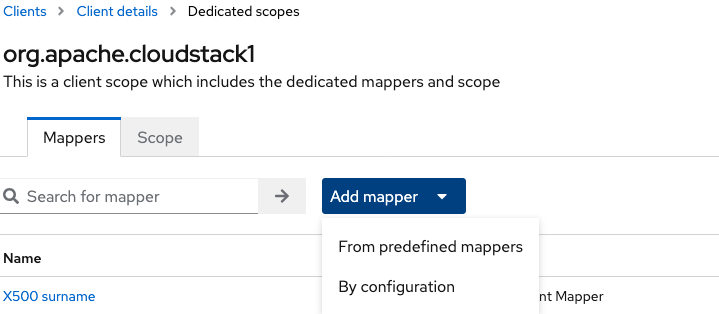
Go to Clients → Client Scopes > Select org.apache.cloudstack-dedicated
-
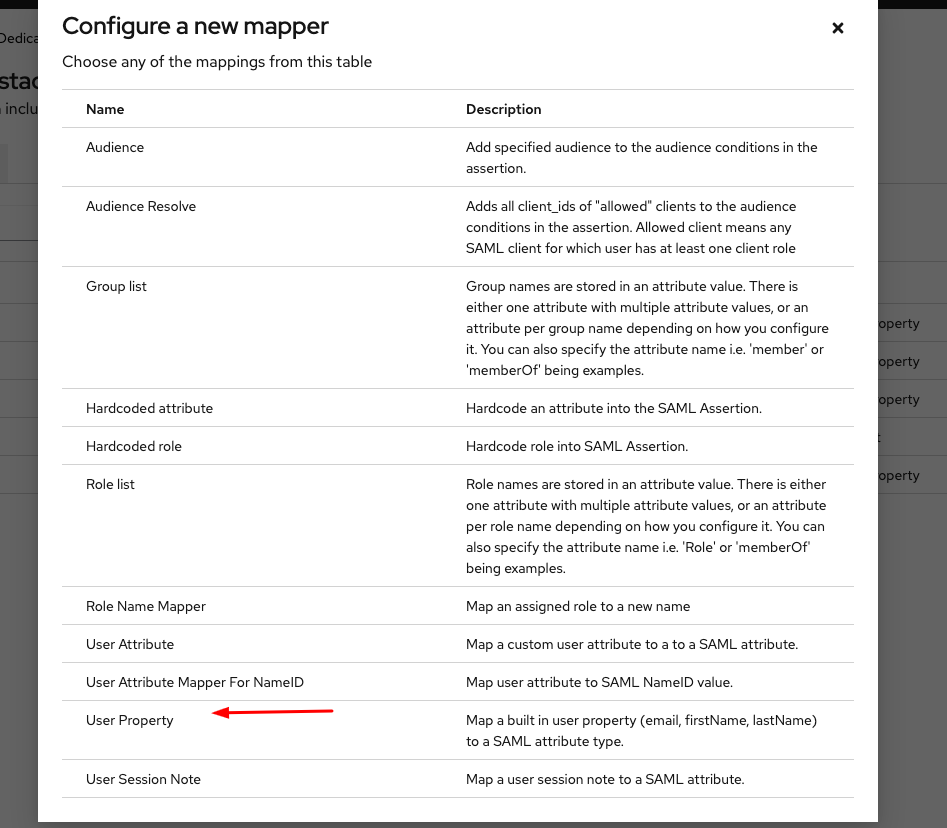
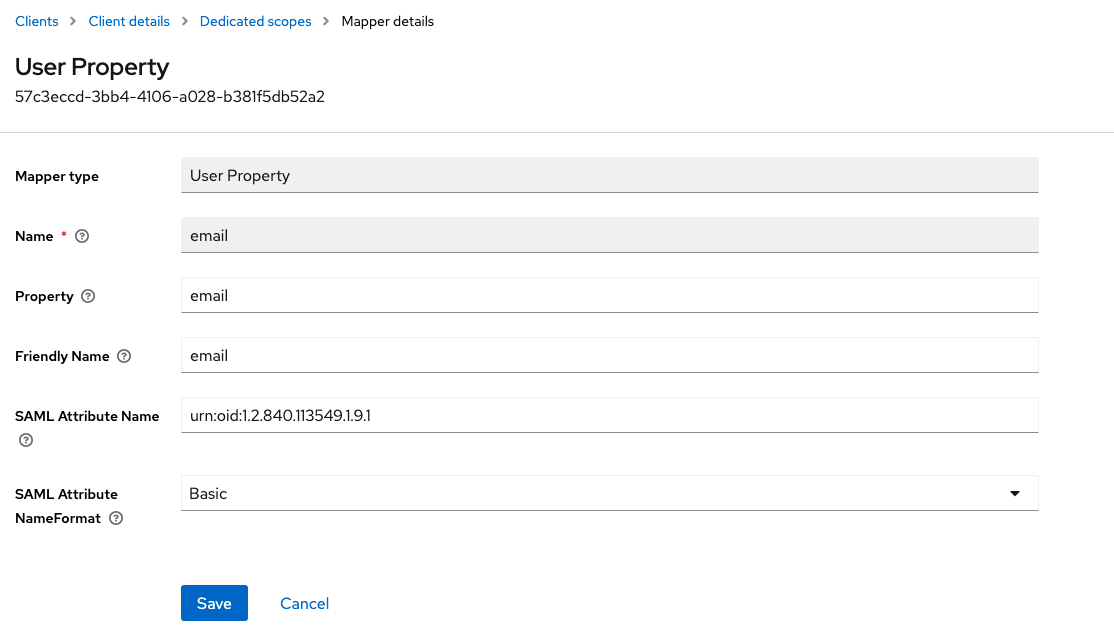
Add a Mapper from Predefined Mapper, Select a user property and provide the following details
Field Value
Name email
Property email
Friendly Name email
SAML Attribute Name urn:oid:1.2.840.113549.1.9.1
SAML Attribute NameFormat Basic
-
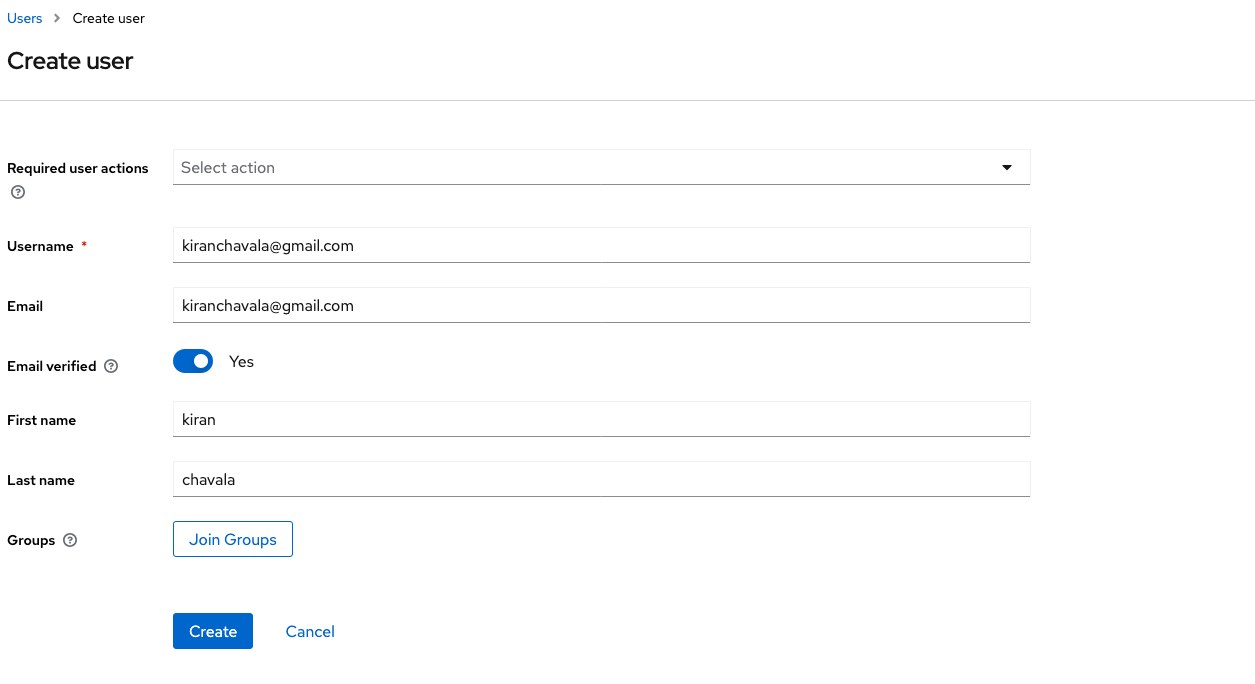
Create a user in Keycloak
Obtain and Configure IDP Metadata
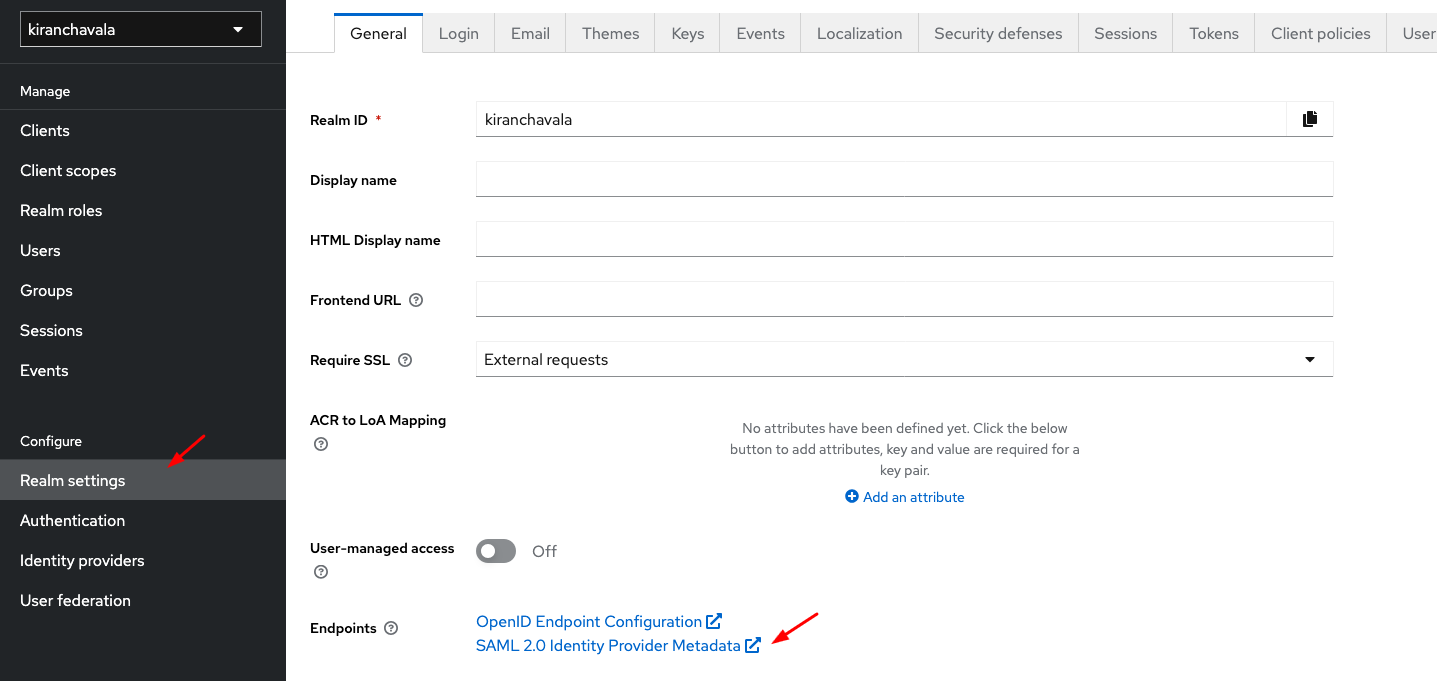
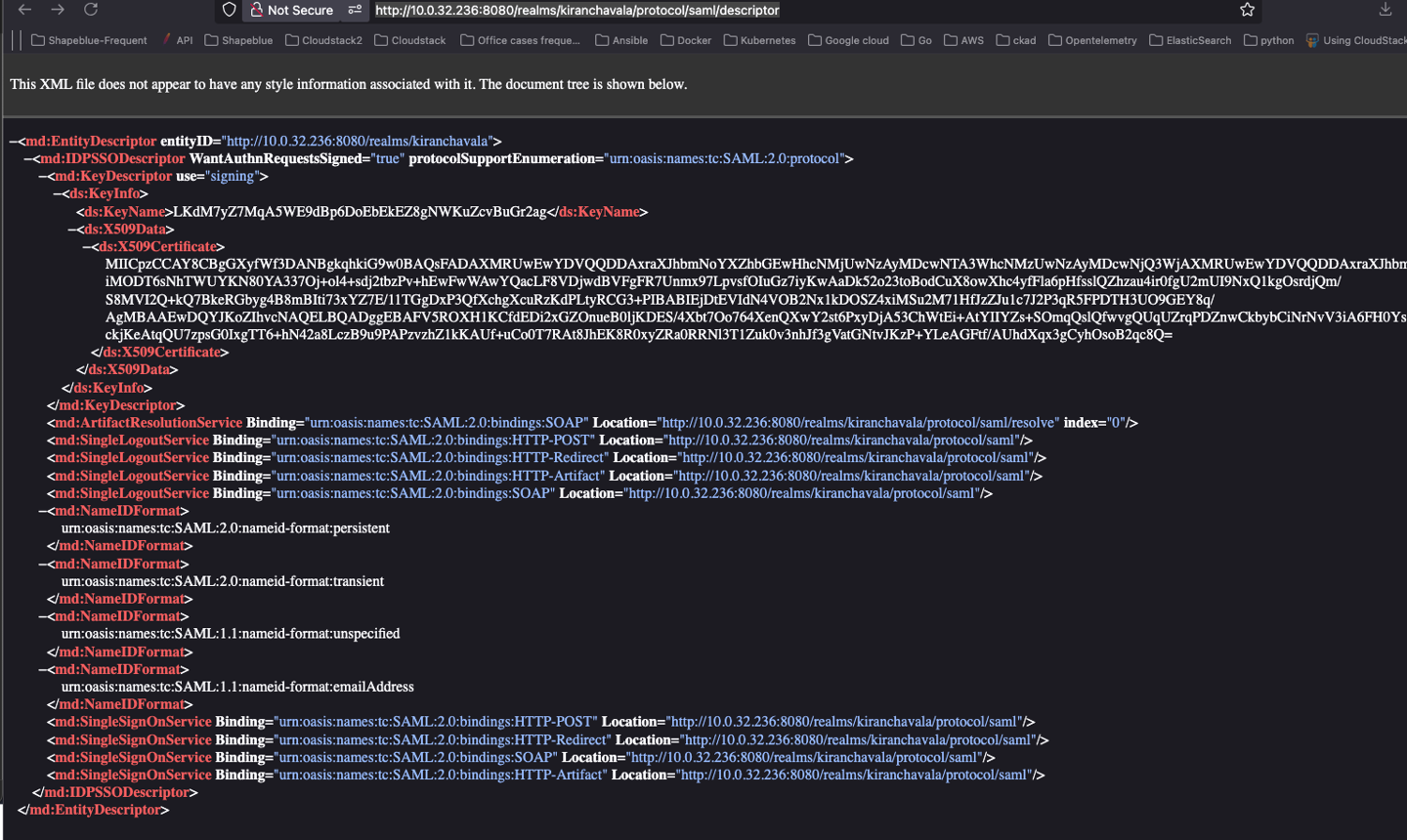
Get the SAML 2.0 Identity Provider Metadata URL
Example:
http://10.0.32.236:8080/realms/kiranchavala/protocol/saml/descriptor
-
Configure SAML IDP in CloudStack
Update the following Global Settings:
saml2.enabled=true saml2.default.idpid=http://app.example.com saml2.idp.metadata.url=http://10.0.32.236:8080/realms/kiranchavala/protocol/saml/descriptor saml2.redirect.url=http://10.0.32.234:8080/client saml2.sp.slo.url=http://10.0.32.234:8080/client saml2.sp.sso.url=http://10.0.32.234:8080/client/api?command=samlSso saml2.user.attribute=email
-
Create a matching user in CloudStack
Example username: kiranchavala@gmail.com
Verify SSO Integration
Login via SSO
Select Keycloak as the identity provider.
You should be redirected to the Keycloak login page.
Upon successful authentication, you’ll be logged into CloudStack.
Troubleshooting
SAML Attribute Mapping Reference

github.com/simplesamlphp/simplesamlphp/blob/master/attributemap/urn2oid.php.


Firefox SAML Tracer Addon
https://addons.mozilla.org/en-US/firefox/addon/saml-tracer/